
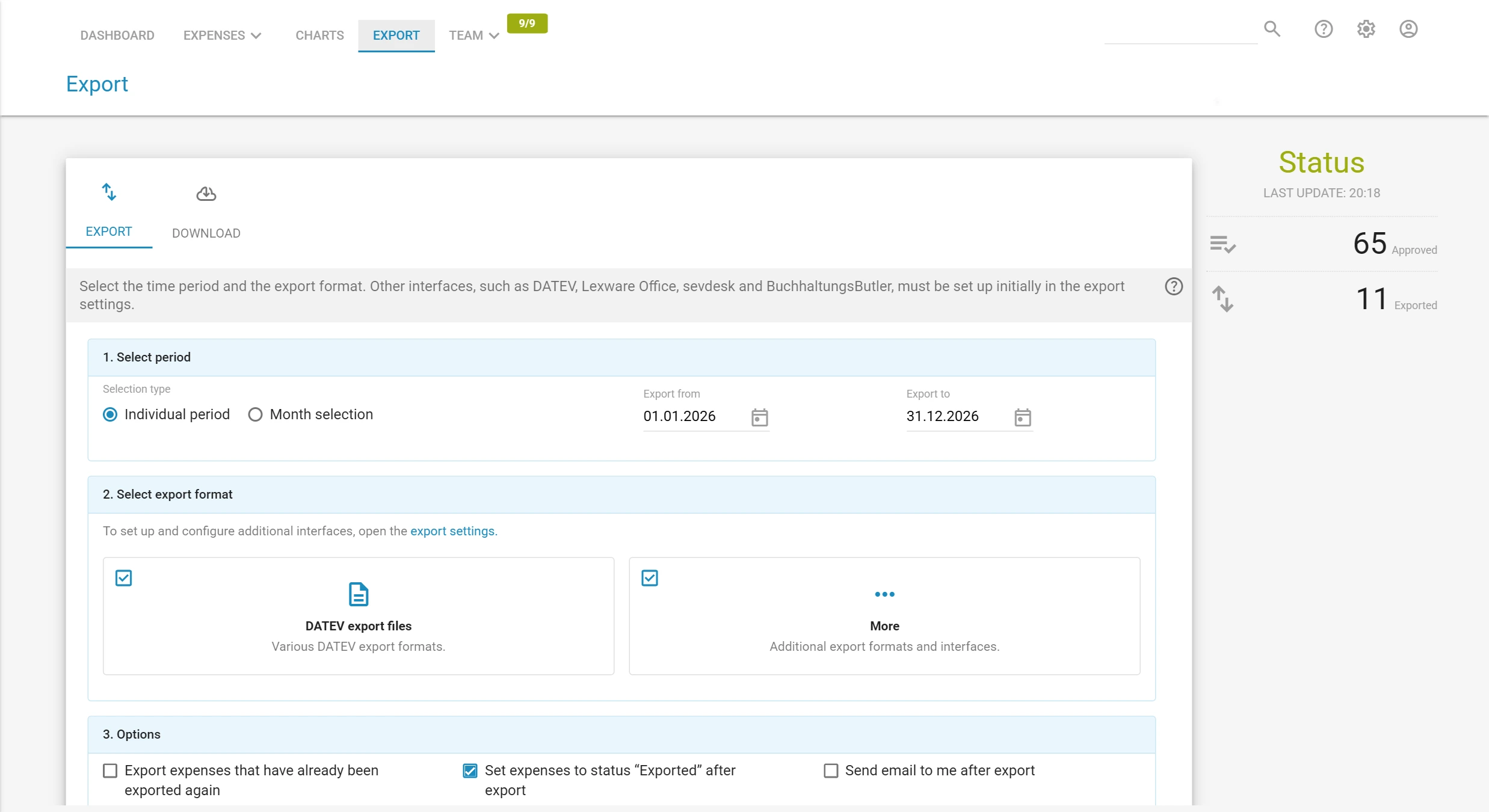
Spesenfuchs calculates your travel expenses and transfers bookings and receipt images to DATEV: online, as a DATEV file or to payroll. Does your bookkeeping run on DATEV, in your own company or at your tax firm? Then your travel expense reports have to end up there: as a booking record on the right account, with cost centre and receipt image. This is exactly the route the travel expense software Spesenfuchs takes care of. You record trips and receipts, Spesenfuchs calculates the allowances, and once approved the data goes to DATEV. Spesenfuchs handles not only travel expenses but also expenses without a trip. As a DATEV interface partner, Spesenfuchs offers several ways to do this. They are available in the PRO version and the TEAM version alike. You create the DATEV files in Spesenfuchs under Export › DATEV export files. Which file suits which purpose is explained under DATEV export. Other accounting programs with a DATEV import can usually read the file “booking data and receipt images” as well. The guide in the support centre shows how. There are also other export formats, for example for further processing in Excel, and the reports as a PDF export.Travel expense reports with DATEV
How your travel expense report gets into DATEV
Three ways to DATEV
 OnlineDATEV data servicesBuchungsdatenservice or Rechnungsdatenservice 1.0: automatically to DATEV every night, your tax firm collects the data there.
 FileDATEV export filesBooking data only, booking data with receipt images or receipt data with receipt images as a file for your tax firm.PayrollDATEV LODAS and Lohn und GehaltReimbursements and tax-free allowances to payroll with their own wage types.
What arrives in DATEV
Company or tax firm: who does the booking?
Your tax firm does the booking: With the DATEV Rechnungsdatenservice 1.0, receipt images and receipt data go to DATEV Unternehmen online. From this, your tax firm receives booking suggestions in DATEV Rechnungswesen.
You book yourself, or your tax firm takes over finished bookings: The DATEV Buchungsdatenservice transfers booking records and receipt images automatically every night. If you prefer to decide yourself when to transfer, use the DATEV export files.
How to set up the two data services is described on the page DATEV Data Service.
What you need for the setup
- Consultant and client number from your tax firm
- Chart of accounts and length of the general ledger accounts
- Start of the financial year
- For the data services: activation by your tax firm and a DATEV login with a DATEV mIDentity stick or SmartLogin
You enter these details once in Spesenfuchs under Settings › Export settings. Agree on the chart of accounts, account length and financial year with your tax firm beforehand, and the bookings will fit right away.
Frequently asked questions about travel expense reports with DATEV
How do I integrate travel expense reports into DATEV?
The easiest way is travel expense software with a DATEV interface. In Spesenfuchs you set up the DATEV data service or the export of DATEV files once. After that, approved travel expenses go to DATEV with account, cost centre and receipt image, without retyping.
Does the DATEV interface cost extra?
No. The DATEV connection is included in the PRO version and the TEAM version, with no extra costs for interfaces, setup or support. You will find the prices on the page Prices.
Is there a DATEV template for travel expense reports?
You fill in a template in Excel or as a PDF by hand, and it still has to be booked afterwards. Which formats exist and how a DATEV file is structured is shown in the guide DATEV export of travel expenses. With Spesenfuchs, the booking is created directly from the expense report.
Where do I find the consultant and client number?
You get both numbers from your tax firm. If you work with DATEV Unternehmen online, you will also find them there under Anwendungen › Belege.
Are e-invoices transferred to DATEV?
Yes. Spesenfuchs processes e-invoices in ZUGFeRD format and passes the original PDF with the embedded XML to DATEV.
Related features for the DATEV connection
All features at a glanceCompare PRO and TEAM in detailIntegrations